

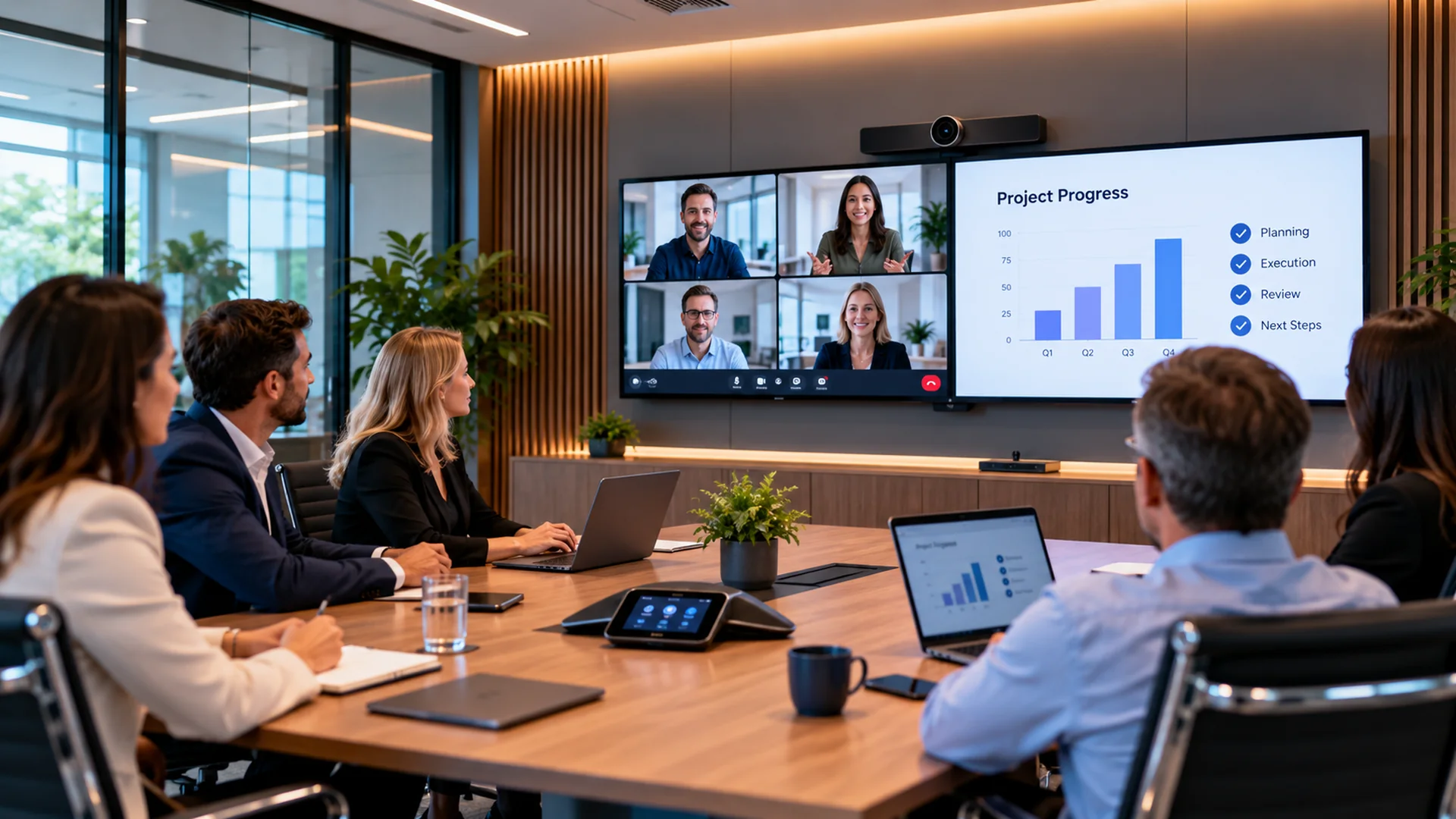
Hybrid working has changed what businesses expect from meeting rooms.
A room that once needed little more than a table, screen and conference phone may now need to connect employees, customers and suppliers across several locations, often using Microsoft Teams, Zoom or other collaboration platforms.
When the room works properly, nobody gives the technology much thought.
People walk in, start the meeting and communicate naturally.
When it has been badly designed, the opposite happens.
Someone cannot connect their laptop. Remote participants cannot hear the people at the far end of the table. The camera points at half the room. A presentation appears on one screen but not another. Ten minutes disappear while somebody looks for the correct cable.
Those problems are rarely caused by one piece of bad equipment.
They usually happen because the meeting room has been treated as a collection of products rather than a complete environment.
TCNS Cabling’s Video Conferencing & AV service takes a design-led approach, considering room usage, acoustics, displays, connectivity and collaboration platforms before installation begins. TCNS Cabling
Start with the room
One of the easiest mistakes is choosing the technology before understanding how the room will actually be used.
A four-person meeting room has very different requirements from a twenty-person boardroom.
A training room may need people to move around.
A boardroom may require everybody seated around a long table to be seen and heard clearly.
A presentation space may need content displayed differently from a normal video call.
Before equipment is specified, several basic questions need answering.
How many people normally use the room?
Where do they sit?
Will people present while standing?
Will external visitors connect their own laptops?
Which collaboration platforms are normally used?
Does the room need to support presentations without a video call?
Once those questions are understood, the technology can be designed around the room rather than forcing users to adapt to the technology.
Do not underestimate audio
Businesses often concentrate on the screen and camera because they are the most visible parts of the system.
Audio can be more important.
A remote participant may tolerate a slightly imperfect camera angle.
It becomes considerably harder to participate when they cannot understand what people are saying.
Meeting rooms create several audio challenges.
People sit at different distances from microphones.
Some speak quietly.
Others turn away while talking.
Hard surfaces can create echo.
Air conditioning and other equipment can introduce background noise.
A microphone placed conveniently in the middle of a table is not automatically going to provide good coverage for everybody in a large room.
The room therefore needs to be considered acoustically as well as visually.
Microphone positioning, speaker placement and the characteristics of the space all contribute to the result.
Camera position matters
A high-quality camera positioned badly remains a badly positioned camera.
We regularly see meeting rooms where cameras have effectively been fitted wherever installation was easiest.
That can produce some strange results.
Remote participants may spend the meeting looking at the side of people’s heads.
People at one end of the table can appear enormous while those at the other end are barely visible.
The camera may be installed so high that the view feels unnatural.
It can also be positioned away from the main display, causing everyone in the room to appear to be looking somewhere other than at the people they are speaking to.
Good camera placement should make remote communication feel as natural as possible.
The correct position depends on the room dimensions, seating arrangement and how people use the space.
In larger rooms, a single fixed camera may not always be the best solution.
Bigger screens are not always better
Another common assumption is that the largest possible display will automatically create the best meeting room.
It will not.
Display size should reflect viewing distance and room layout.
A screen can be too small for people sitting at the back of a long boardroom.
It can also be unnecessarily large for a small meeting space.
There is also the question of whether one display or two provides the better experience.
In some meeting rooms, having separate displays for remote participants and shared content can make collaboration considerably easier.
The objective is not to create the most impressive-looking wall.
It is to make information easy to see from every normal seating position.
Remember the people joining remotely
A hybrid meeting should not feel like a normal meeting with several remote people watching from outside.
The room needs to give both groups a reasonable experience.
Remote participants need to see who is speaking.
They need to hear everybody.
They need to be able to view shared material.
People in the room also need to see and hear remote participants naturally.
This is where room design matters.
Camera angles, microphone coverage, displays and speaker positioning all influence whether remote participants genuinely feel part of the conversation.
A well-designed room should reduce the difference between being physically present and joining remotely.
Avoid the cable drawer
Most offices have experienced it.
Somewhere in or around the meeting room is a drawer containing a collection of HDMI cables, USB adapters, converters and unidentified leads accumulated over several years.
Someone arrives with a laptop.
Nobody knows which cable they need.
Eventually somebody finds an adapter that looks promising.
It does not work.
Modern meeting rooms should be designed to reduce that friction.
That may involve dedicated room systems, wireless presentation technology or clearly defined connection options for visitor devices.
There should still be sensible contingency options, but the normal user experience should not involve searching for cables.
Infrastructure comes first
AV equipment depends on the infrastructure beneath it.
Displays require power.
Cameras and room systems require connectivity.
Networked AV equipment needs reliable data connections.
Wireless presentation relies on the wireless environment.
That means meeting-room AV should ideally be considered while the wider infrastructure is being designed.
TCNS Cabling’s structured cabling service provides the physical connectivity supporting technologies such as AV, Wi-Fi and other networked building systems. TCNS Cabling
Planning this early can avoid some surprisingly common problems.
A beautiful new meeting room is much harder to finish professionally if nobody considered where cables needed to run until after the walls and furniture were completed.
Proper planning also allows cables to be routed neatly and appropriate connectivity to be provided where the equipment actually needs it.
Wi-Fi cannot fix everything
Wireless connectivity has made meeting spaces much more flexible.
It can simplify presentation and allow users to connect their own devices more easily.
But Wi-Fi should not become an excuse for avoiding proper infrastructure.
Busy offices can contain large numbers of wireless devices competing for capacity.
Video conferencing itself can also place significant demands on connectivity.
TCNS Cabling’s Wi-Fi and Wireless Deployment service uses survey-led design to consider factors including coverage, capacity, interference and user density. TCNS Cabling
Where AV performance is business-critical, wired connectivity may still be appropriate for parts of the system.
The best approach is usually to decide what should be wired and what genuinely benefits from being wireless.
Make controls obvious
If users need a laminated instruction sheet containing fifteen steps before they can start a meeting, something has gone wrong.
Meeting-room controls should be intuitive.
A user should ideally be able to understand the basics without training:
start a meeting,
join a call,
adjust volume,
share content,
and finish the session.
This is particularly important in rooms used by customers, senior management or occasional visitors.
Complexity often creeps into meeting rooms over time.
Different systems are added by different suppliers.
Remote controls multiply.
Nobody is completely certain which device controls what.
A refurbishment provides an opportunity to simplify that experience.
Good AV design is partly about removing unnecessary complexity.
Consider visitor devices
Employees may use standard company laptops configured specifically for the organisation’s preferred meeting platform.
External visitors are less predictable.
They may use a different laptop.
They may use a different conferencing platform.
They may want to share content from their own device.
Meeting rooms should therefore be designed with a sensible level of flexibility.
That does not necessarily mean supporting every possible device and connector ever manufactured.
It means understanding the normal visitor requirement and providing a straightforward method of accommodating it.
This becomes particularly important in customer-facing meeting spaces and boardrooms.
Do not forget lighting
Lighting affects video quality enormously.
A good camera cannot completely compensate for a badly lit room.
Large windows behind participants can leave faces in shadow.
Bright spotlights can create harsh images.
Rooms that look perfectly comfortable to somebody sitting at the table may appear very different through a camera.
Camera placement and lighting should therefore be considered together.
Sometimes relatively simple changes can produce a substantial improvement without requiring more expensive cameras.
Test a real meeting
An installation should not be considered complete simply because all the equipment powers on.
It needs to be tested in the way people will actually use it.
That means sitting people in normal positions.
Joining remotely.
Speaking from different places around the table.
Sharing content.
Testing volume.
Checking camera framing.
Connecting the type of devices that visitors are likely to bring.
TCNS Cabling’s AV service includes installation, testing and handover, with audio quality, video performance and system reliability checked before completion. TCNS Cabling
A technically functioning system and a genuinely usable meeting room are not always the same thing.
Standardise where possible
Businesses with several meeting rooms often benefit from standardisation.
That does not mean every room needs identical equipment.
Different room sizes will naturally require different solutions.
But the user experience can still be consistent.
If employees know how to operate one meeting room, ideally they should be comfortable using another.
Standardisation can also simplify:
support,
replacement equipment,
documentation,
staff training,
and future upgrades.
Instead of every meeting room becoming a separate technical project, organisations can develop a small number of repeatable room types.
Think beyond today’s platform
Collaboration platforms will continue to change.
Hardware will change too.
The infrastructure installed into the building is likely to remain considerably longer.
That makes future planning important.
Accessible cable routes, sensible containment, sufficient connectivity and well-documented infrastructure can make future upgrades significantly easier.
The objective should not be to predict exactly what meeting technology will look like in ten years.
It should be to avoid designing today’s room in a way that makes tomorrow’s change unnecessarily difficult.
Keep hybrid meetings simple
The best meeting-room technology often becomes almost invisible.
People walk in.
They start the meeting.
Everyone can see and hear one another.
Content can be shared easily.
Nobody needs to call IT.
That simplicity does not happen by accident.
It comes from understanding the room, designing the AV around its users, providing the right underlying infrastructure and properly testing the finished system.
TCNS Cabling designs and installs professional video conferencing and AV environments alongside structured cabling and wireless infrastructure, allowing the room technology and the systems supporting it to be considered together.
A good hybrid meeting room should help people communicate.
If the technology becomes the main topic of the meeting, the room has not been designed properly.

Be the first to comment